Walk in prepared. Keep the details together.
Save your questions as they come, add the appointment, and get a reminder a day and two hours before. Checkups, vaccines and notes stay in one list.
Schedules are a guide. Always follow your own clinician.
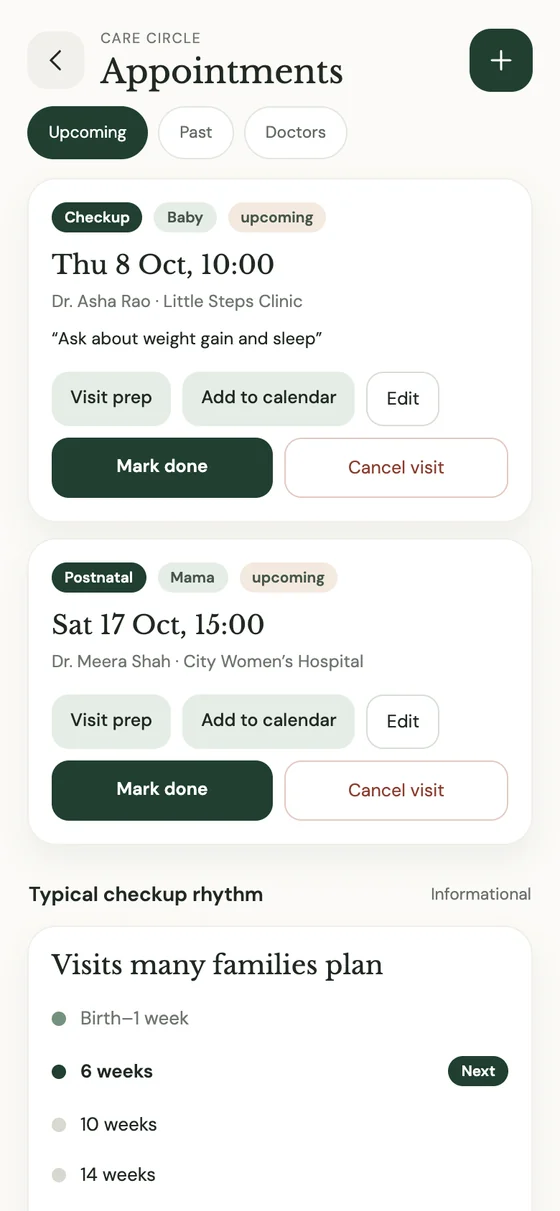
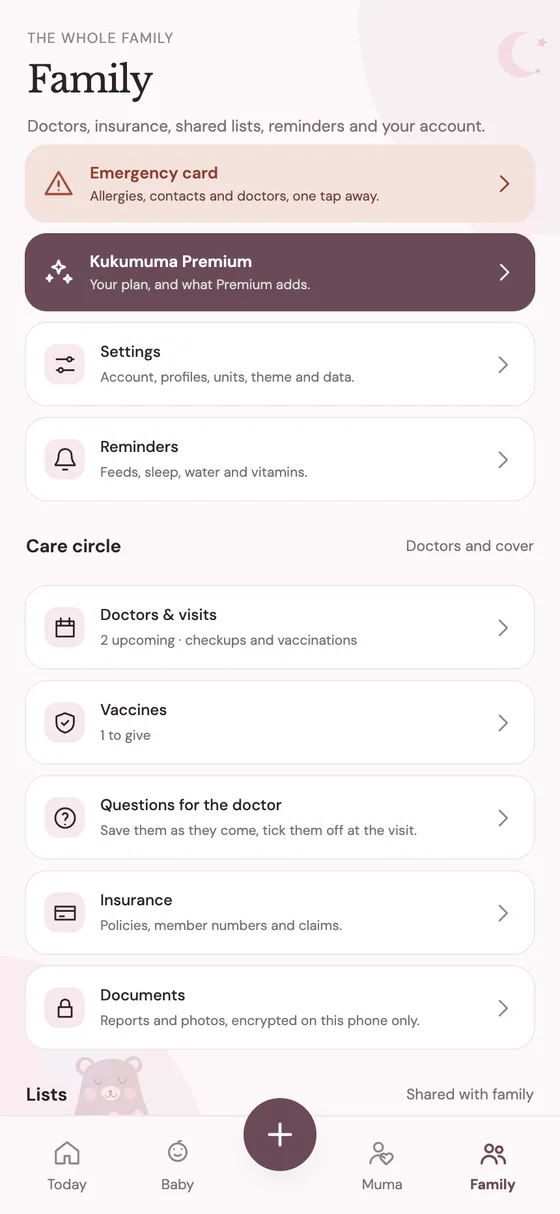
Questions, appointment, reminder.
Three steps for every visit.
Jot your questions
Write them as they come, even at 2 a.m. They’re saved until the appointment.
Add the visit
Doctor, date and time, then add it to your calendar in one tap.
Get reminded
A reminder a day before and another two hours before. Notes, vaccines and the next visit stay together afterwards.
Everything about a visit, together.
Checkups, vaccines and doctor visits sit in one list, so the next thing due is always on top and nothing lives in your head.
- Visit prepSave the things you want to ask, then add the visit to your calendar.
- A typical checkup rhythmSee what many families plan, as a guide. Schedules differ by country — follow your clinician.
- Insurance, lockedKept behind your own biometrics and encrypted before upload.
Emergency card and insurance, locked until you need them.
Allergies, blood group and contacts, ready the moment someone else has to help. Insurance details stay behind your own biometrics.
- Emergency cardAllergies, blood group and who to call, in one place.
- Insurance, lockedOpened with your fingerprint or face, and encrypted on your phone before it is uploaded.
- Doctors and clinicsSaved once in the Family tab and shared with the other parent.
- Doctor-ready exportA PDF summary to hand over, with Premium.
Every country, every child, a little different.
The checkup rhythm Kukumuma shows is what many families plan, shown as a guide. Schedules differ by country and by child, so follow your clinician. Kukumuma is a tracker, not a medical device, and it never replaces your care team.
Before the next appointment
What to track, and what to ask.
Start with one tiny moment.
Download Kukumuma for Android and take the first gentle step. Your baby’s first year is waiting to be remembered.Kukumuma isn’t on iPhone yet. Leave your email and we’ll tell you the moment it is. Your baby’s first year is worth remembering.
A friend invited you. Enter the code when you create your account in the app.
- Open Kukumuma on Google Play on your Android phone.
- Tap Install. Play keeps it up to date for you.
- Open Kukumuma and create your account. Enter code when asked to get your free months.